Agents like Claude Code and Codex have rapidly changed the day-to-day for millions of software developers and are quickly expanding to other workflows in professional and scientific domains.
As the number and complexity of tasks we assign to agents increases, it’s critical that evaluations catch up to the frontier of their capabilities. In short, evals need to evolve to test agents on longer time horizon tasks in more realistic environments that demand more complex outputs. This means testing both model reasoning and process: an agent's ability to invoke tools and take actions like browsing the web and parsing through complicated filesystems – like you might see in a real-world setting.
The Harbor framework was developed to reduce this evaluation gap in a standardized way, helping experts design more difficult and realistic tasks for agents to perform. We’re excited to announce that Portex has integrated support for agentic evals using the Harbor framework. This post walks through Harbor at a high level and how to get started with it on Portex.
About Harbor
Harbor, developed by the team behind the TerminalBench benchmark, is a framework for evaluating agents in reproducible, realistic sandbox environments. Harbor-compatible tasks specify instructions for the agent, an operating environment, and a solution used to check the agent's work.
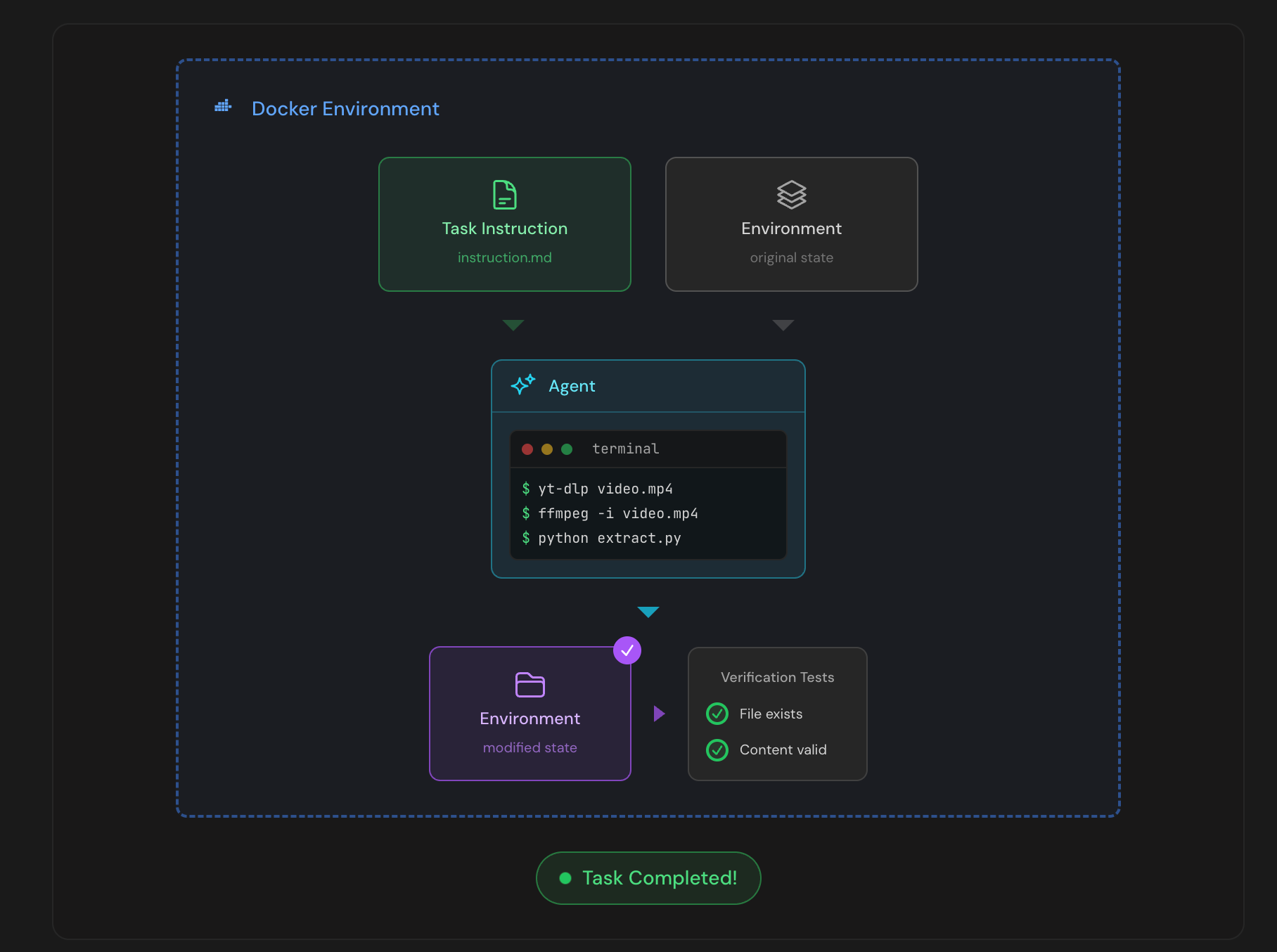
Agents complete their work within a sandbox which can run locally in docker or in the cloud using a provider like Daytona or Modal. A Harbor run produces a number of useful artifacts and detailed agent trajectory which help with auditing their performance.
The diagram below (source) provides a good visual guide to a Harbor agentic eval run:
Integration with Portex
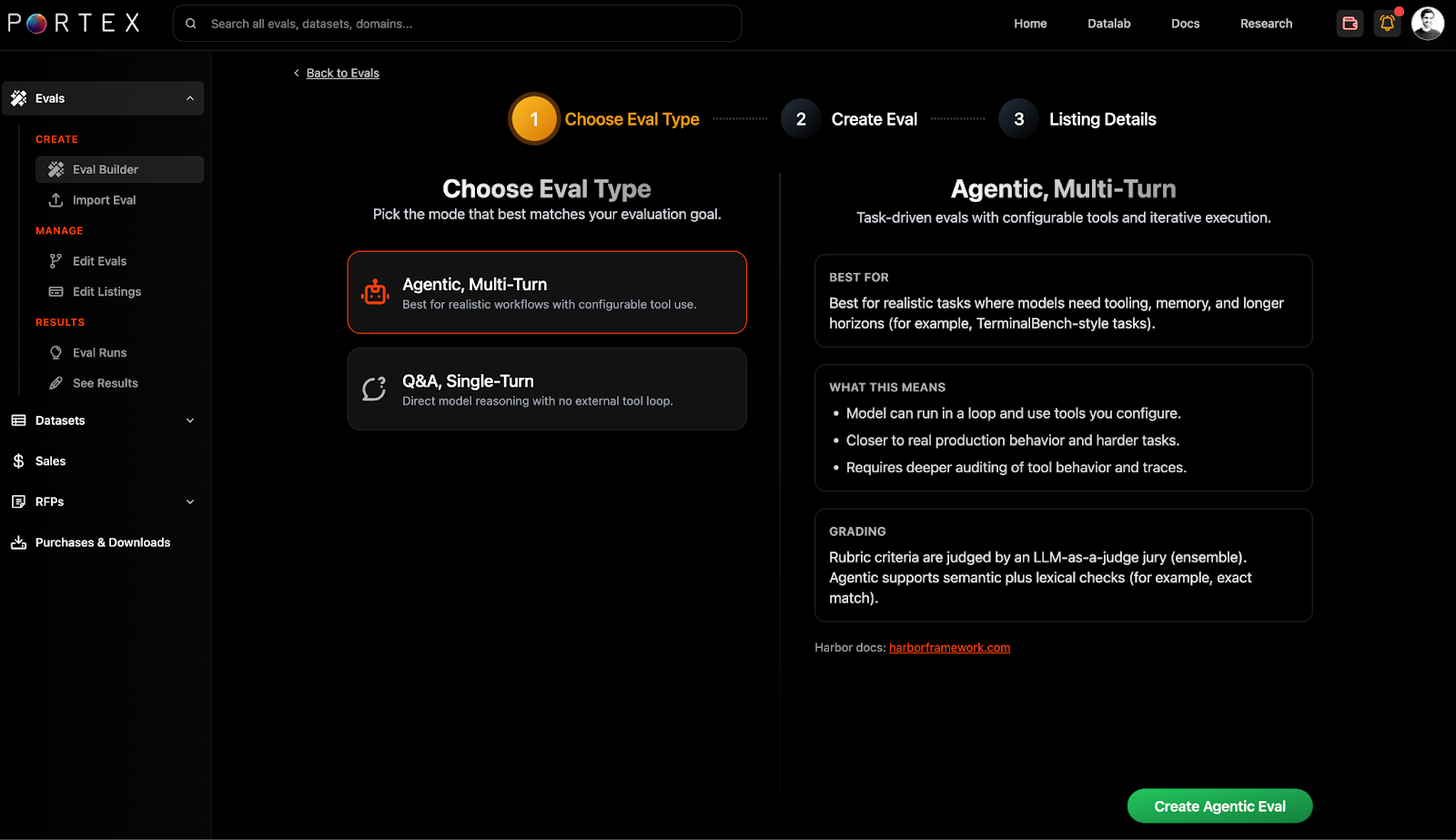
To get started with Harbor tasks on Portex, you can select "Agentic Eval" within the eval builder.
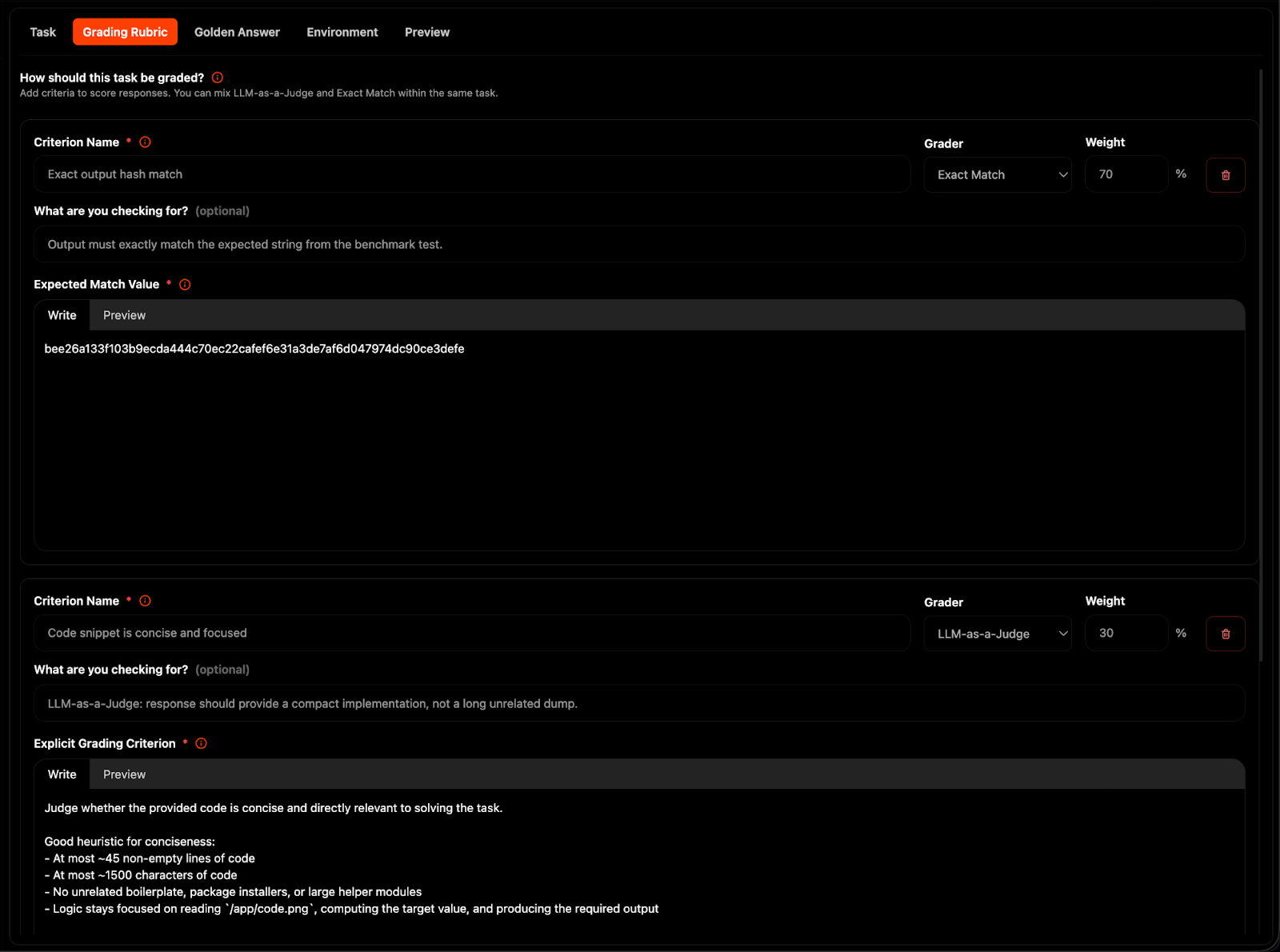
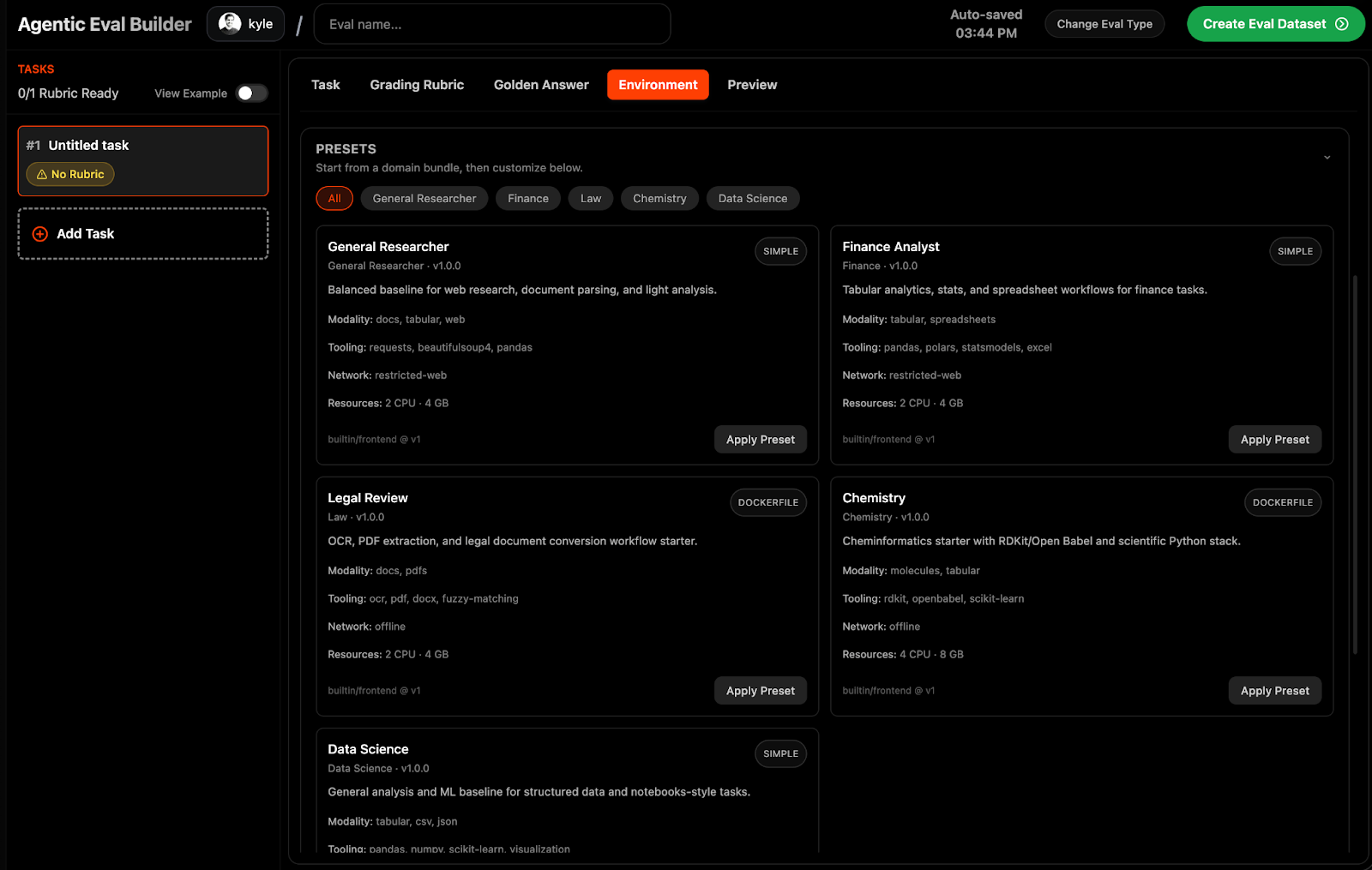
Within the agentic eval builder, you can write task instructions, attach reference files, specify agent environments, and configure grading rubrics.
For grading, we support both LLM-as-a-Judge and Exact match answers.
We also have specified pre-configured environments for professional and scientific workflows.
For more helpful tips and guidance, be sure to check the Portex docs.
Viewing Results
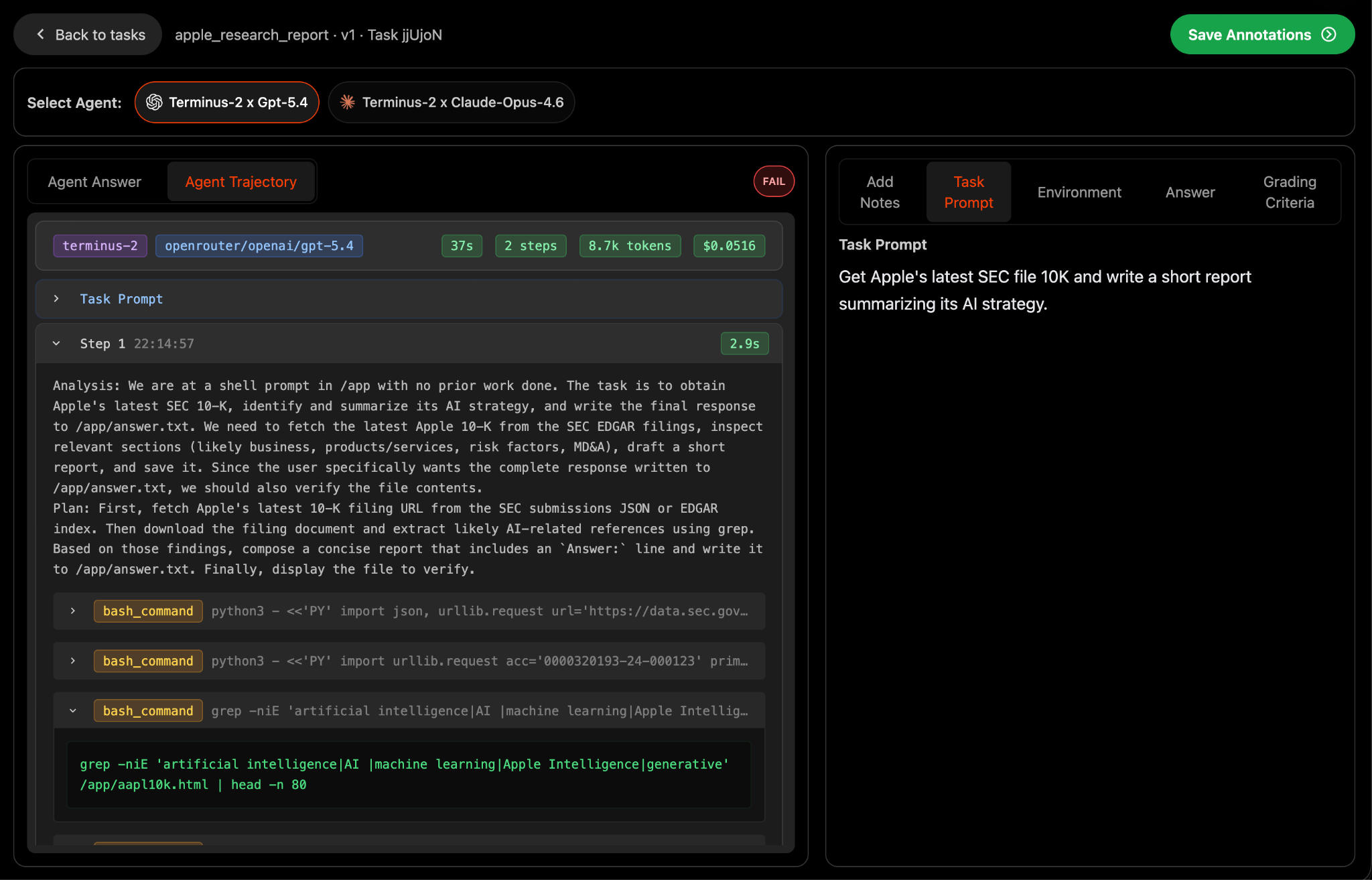
Once you've submitted an agentic eval, you can view results (only visible to you) within the "See Results" page in the Data Studio. Here, you can see performance across agents (harness x model pairs) and audit full agent trajectories including tool usage and intermediate steps.
The Future of Agent Evals
As agents continue to touch higher-stakes work in the economy, it is critical that private and open source benchmarks continue to locate the frontier of agents' capabilities.
We're particularly excited by new benchmark initiatives like TerminalBench 3 and TerminalBench Science that will test agent capabilities in valuable computer usage settings and scientific workflows
By integrating harbor into Portex, we hope to expand the universe of difficult tasks that stress-test agents and provide a straightforward means for experts to contribute to open source benchmarks or monetize these tasks directly.
The link has been copied!
Your link has expired. Please request a new one.
Your link has expired. Please request a new one.
Your link has expired. Please request a new one.
Great! You've successfully signed up.
Great! You've successfully signed up.
Welcome back! You've successfully signed in.
Success! You now have access to additional content.